
Marketing Materials
Welcome to the Careers Building Communities Marketing Resources page. Here you will find a variety of branded resources available for modification and personalization. Editable PDFs and detailed instructions for each item are available below.
Place one or more of these banners on your organization's website. They show that you're a proud sponsor of Careers Building Communities and they will promote visits to the website.
- Pick one or more sizes from the options below.
- Copy the embed code.
- Paste the embed code into a particular page or content area on your website and publish your updates.
- After publishing, be sure to visit your website and test your update to ensure the banner works correctly.
300 x 250 - Medium Rectangle

250 x 250 - Square

970 x 250 - Billboard

970 x 90 - Large Leaderboard

728 x 90 - Leaderboard

300 x 600 - Half Page

160 x 600 - Wide Skyscraper


- Download High Resolution PDF Here.
- Visit VistaPrint here to order.
- Detailed VistaPrint instructions:
- Choose Paper Thickness "Standard" or "Premium"
- Choose Paper stock "Matte"
- Choose Finish "None"
- Choose Corners "Standard"
- Choose Quantity
- Press "Start designing"
- Select first option "Use your complete Design" and Select "Upload It"
- Choose horizontal layout:
- On left-hand side, choose to upload from "My Computer" and select "Choose Images"
- Upload the PDF downloaded above.
- Drag the front side image onto the "FRONT SIDE" Design and the back side image onto the "BACK SIDE" design. Note, you must select "Full-Color" for printing on the back side when prompted.
- Press "Next" button and preview the card design.
- Check the approval button to proceed with order.
Primary Poster with Single-Sponsor Brand
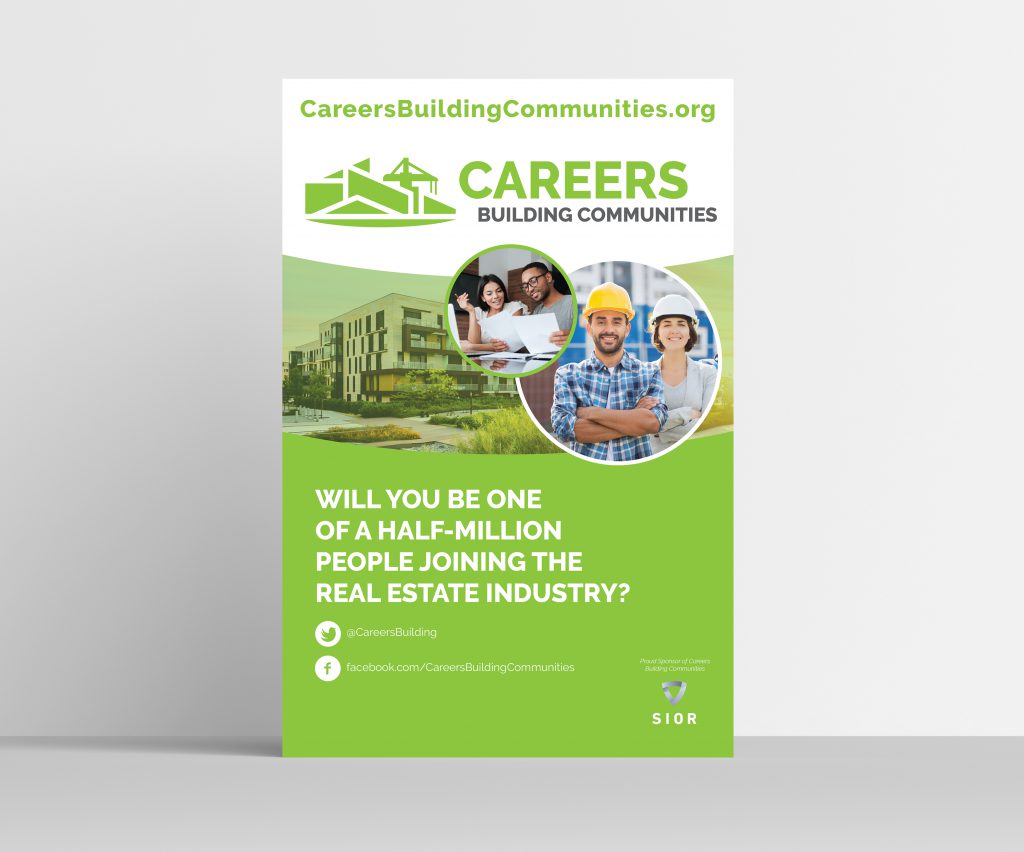
- Download High Resolution PDF Here.
- Open PDF in Adobe Acrobat.
- Click and edit editable text area (gray boxes) to enter your industry name (i.e. "CONSTRUCTION INDUSTRY") in all caps.
- Click white border box at bottom of poster and upload your organization logo. For best results, use a white logo with a transparent background.
- When finished, save your file: File/Save As/YourFileName.pdf onto your computer.
- Visit VistaPrint here to order.
- Detailed instructions:
- Select Orientation "Vertical"
- Select Size "24" x 36"
- Select Paper stock "Matte"
- Select Lamination (yes or no)
- Select Quantity
- Press blue button "Start Designing"
- Select first option "Use your complete Design" and Select "Upload It"
- On left-hand side, choose to upload from "My Computer" and select "Choose Images"
- Upload the PDF you previously edited and saved.
- Drag Image from bottom left under "Recent Images" onto gray canvas area.
- Press green "Next" button to preview.
- Check the approval button to proceed with order.
Alternative Poster with All Sponsors

- Download High Resolution PDF of Sponsor Poster Here.
- View PDF in Adobe Acrobat.
- Visit VistaPrint here to order.
- Detailed instructions:
- Select Orientation "Vertical"
- Select Size "24" x 36"
- Select Paper stock "Matte"
- Select Lamination (yes or no)
- Select Quantity
- Press blue button "Start Designing"
- Select first option "Use your complete Design" and Select "Upload It"
- On left-hand side, choose to upload from "My Computer" and select "Choose Images"
- Upload the PDF you previously edited and saved.
- Drag Image from bottom left under "Recent Images" onto gray canvas area.
- Press green "Next" button to preview.
- Check the approval button to proceed with order.

- Download High Resolution PDF Here.
- Open PDF in Adobe Acrobat.
- Click and edit editable text area (gray boxes) to enter your industry name (i.e. "CONSTRUCTION INDUSTRY") in all caps.
- Click gray box at bottom of poster and upload your organization logo. For best results, use a full-color PNG with a transparent background.
- When finished, save your file: File/Save As/YourFileName.pdf onto your computer.
- Visit VistaPrint here to order.
- Detailed instructions:
- Choose Tier "Premium"
- Choose Quantity
- Press blue button "Start Designing"
- Select first option "Use your complete Design" and Select "Upload It"
- On left-hand side, choose to upload from "My Computer" and select "Choose Images"
- Upload the PDF you previously edited and saved.
- Drag Image from bottom left under "Recent Images" onto gray canvas area.
- Press green "Next" button to preview.
- Check the approval button to proceed with order.

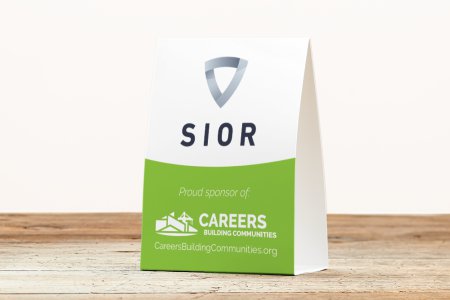
- Download High Resolution PDF Here.
- Open PDF in Adobe Acrobat.
- Click gray box at bottom of poster and upload your organization logo. For best results, use a full-color logo with a transparent background.
- When finished, save your file: File/Save As/YourFileName.pdf onto your computer.
- Visit VistaPrint here to order.
- Detailed VistaPrint instructions:
- Select first option "Use your complete Design"
- On left-hand side, choose to upload from "My Computer" and select "Choose Images"
- Upload the PDF you edited and saved above.
- Drag the front side image onto the "FRONT SIDE" Design and the back side image onto the "BACK SIDE" design. Note, you must select "Full-Color" for printing on the back side when prompted.
- Press "Next" button and preview the card design.
- Check the approval button to proceed with order.
- Download the vCard here.
- Unzip the file. (Note: vCards cannot be downloaded from a website unless they're zipped.)
- Open the vCard on your computer or phone. You will be prompted to store it in your contact list.
- You can then share this contact with other people or attach it to emails.

- Download the PowerPoint here.
- OR Download the PDF here.
- Download "Raleway" font used in the PowerPoint file.
- Install font:
- Open .pptx file for editing or viewing.
- Download the full zip file here.
- OR, download individual files below:
- Standard Logo (horizontal):

- PNG format, for web sites with light backgrounds:
- PNG format, for web sites with dark backgrounds:
- EPS format (for print)
- Stacked Logo (vertical):

- PNG format, for web sites with light backgrounds:
- PNG format, for web sites with dark backgrounds:
- EPS format (for print)
- Mobile Logo

- PNG format, for web sites with light backgrounds:
- Standard Logo (horizontal):